State filings
State filings, ready before they're due
Noma turns finished jobs into WDO logs and monthly pesticide use reports. Check the details, download, and file on time.
We value your privacy. Learn more.
Two filings, one place
Prepare WDO logs and pesticide use reports from the same jobs, without typing anything twice.
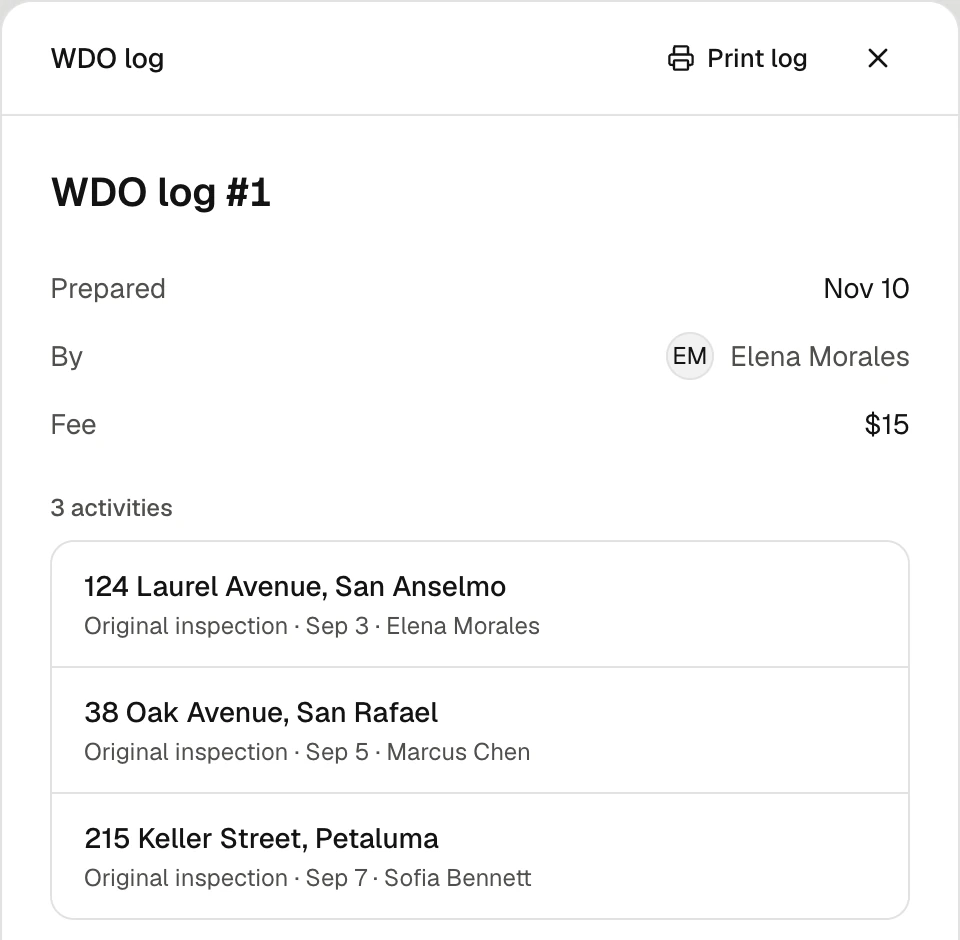
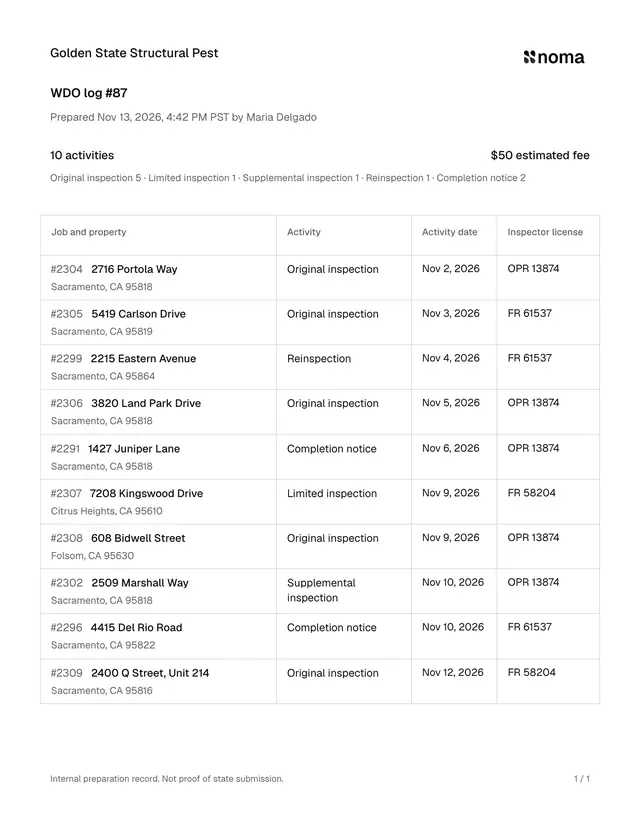
One WDO log for all your ready work
Pick the inspections and completion notices that are ready, see the fee, and download one file for SPCB Connect.
Read the WDO log guideCatch problems before you file
WDO logs
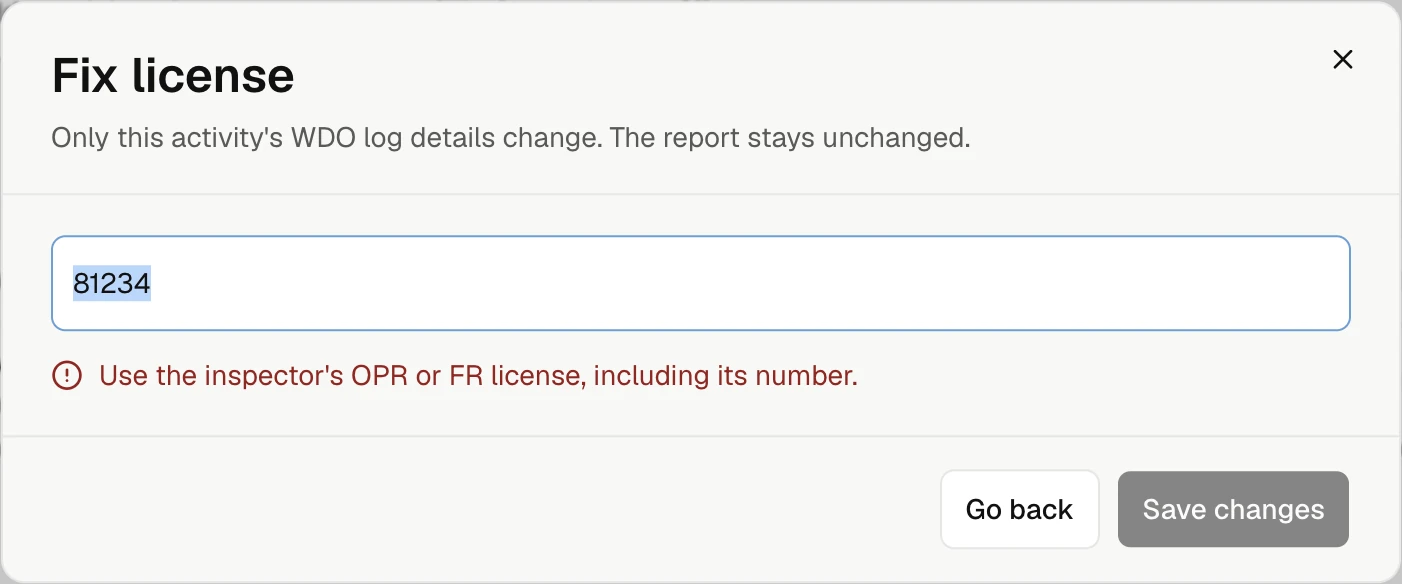
Fix missing details in place
Noma flags a missing license, address, or date before you download. Fix it right there. The report itself stays the same.
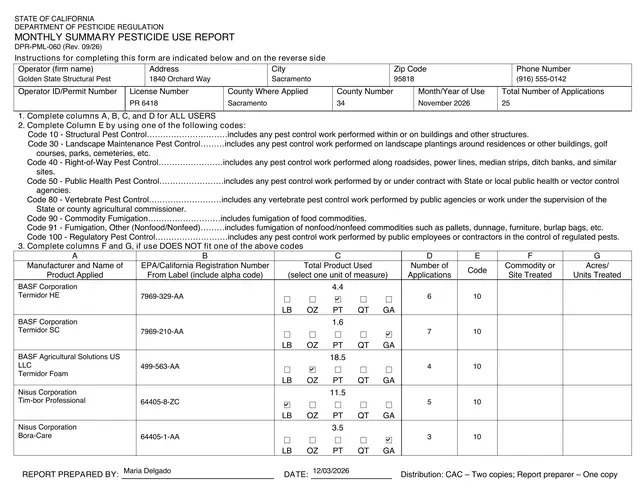
Pesticide use
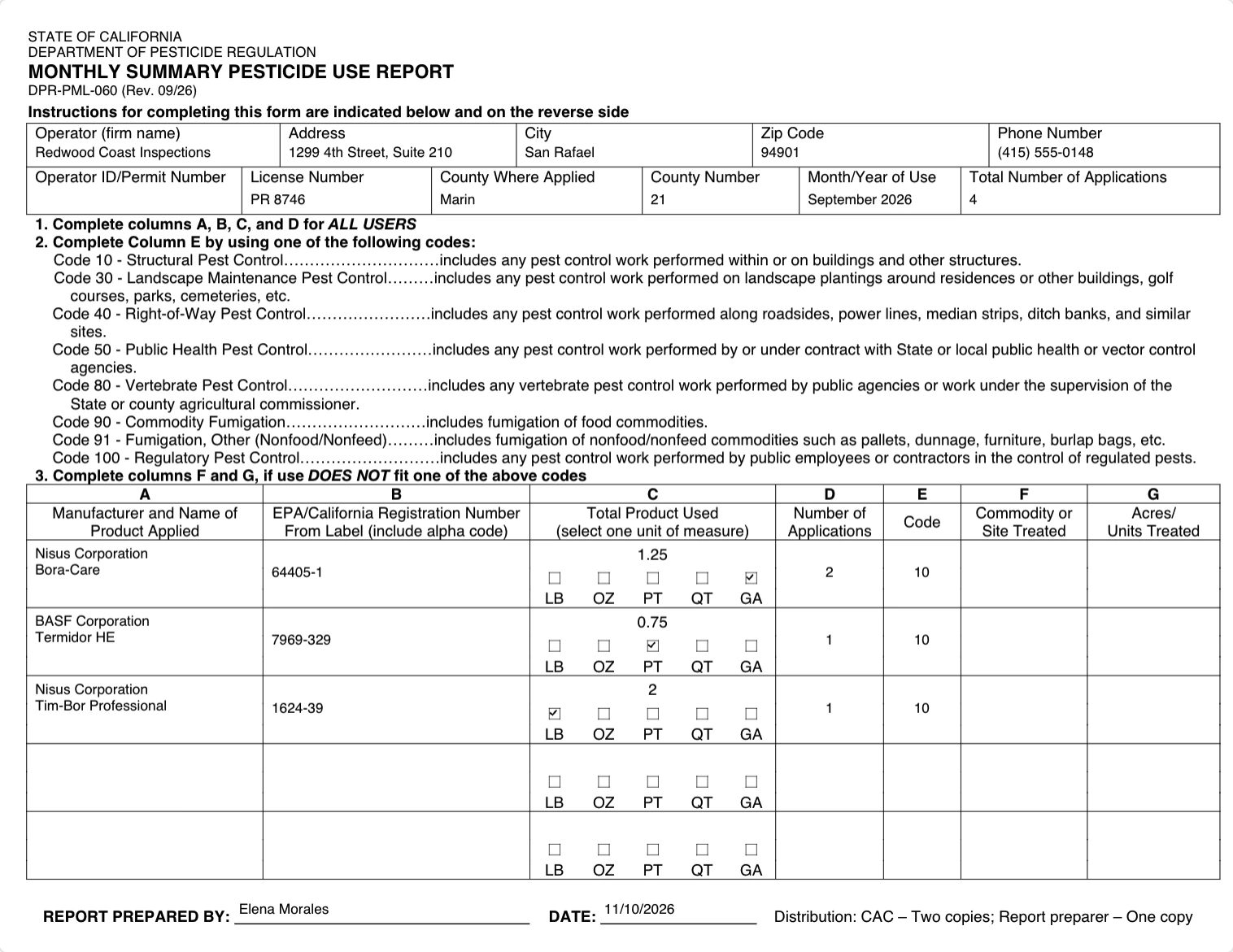
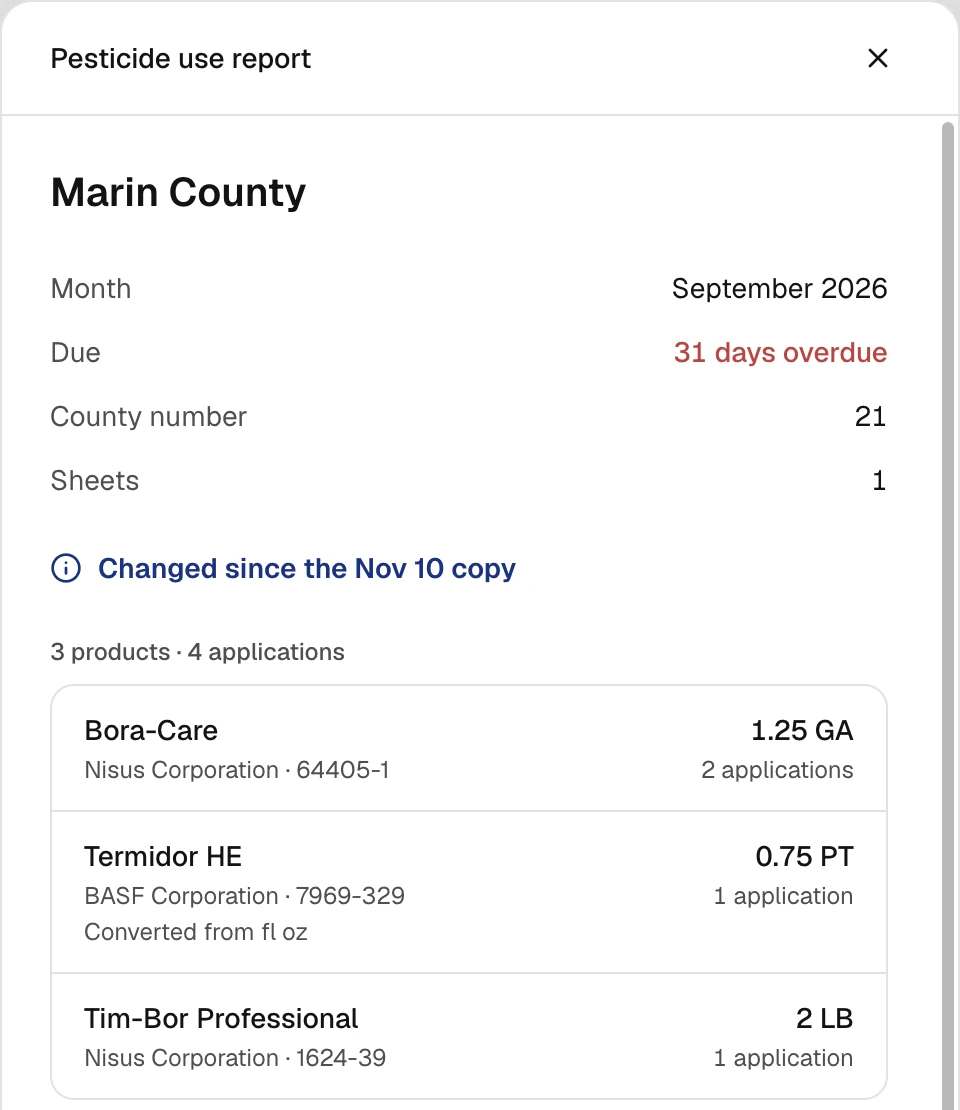
See exactly what goes on each report
Check every product, EPA number, and amount by county before you download. Mixed units add up for you.
Pesticide use
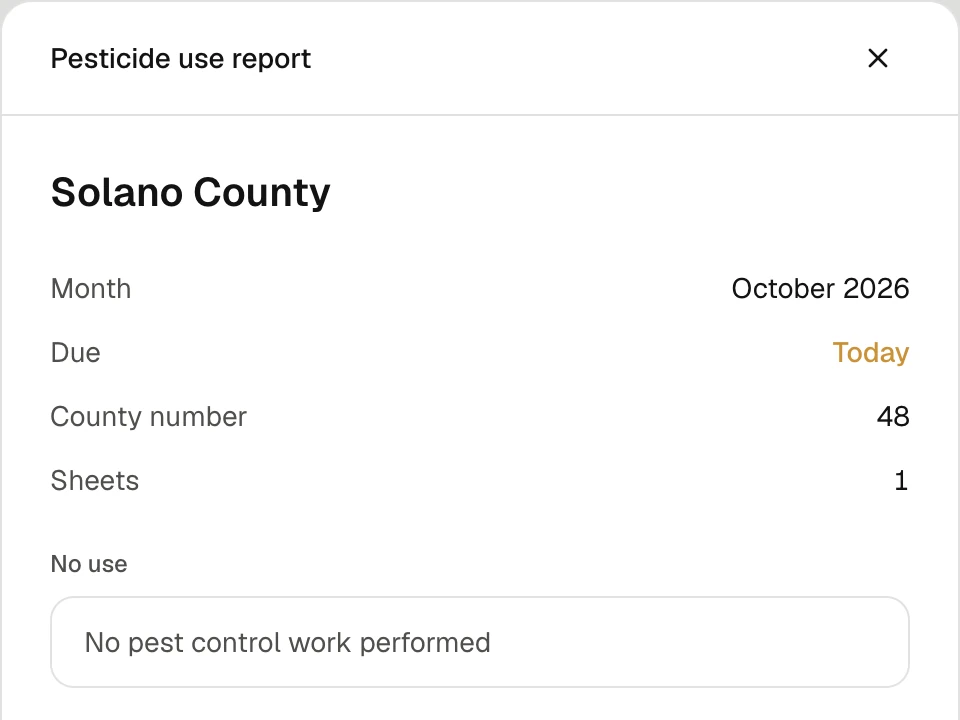
File no-use months too
No work in a county this month? Noma still lists the report, so you can send a no-use report on time.
History
Keep every filing on record
See who prepared each filing, when, and which jobs it holds. Download the file again or print a copy for your office.
Less busywork in every filing
See fees before you download
See the estimated WDO filing fee for the work you picked before you make the file.
Know what's due
Every activity and county report shows its due date, so late work stands out.
Mixed units add up
Enter fluid ounces on one job and pints on another. Noma adds them up and shows what it changed.
Leave out work that doesn't count
Skip a canceled job with a short note. Add it back later if you need it.
One download per filing
Get one text file for SPCB Connect, or one ZIP with a PDF for each county.
Keep a copy for your office
Print a saved WDO log, and download any saved file again anytime.

File on time without the paperwork
Turn finished jobs into WDO logs and pesticide use reports, catch missing details, and keep every copy in one place.
Get startedExplore Noma features related to state filings



Frequentlyaskedquestions