
California WDO reporting
Prepare your WDO log in a few clicks
Turn your inspection work into one WDO log. Download the file, then submit it in SPCB Connect.
We value your privacy. Learn more.
Less time sorting. More time inspecting.
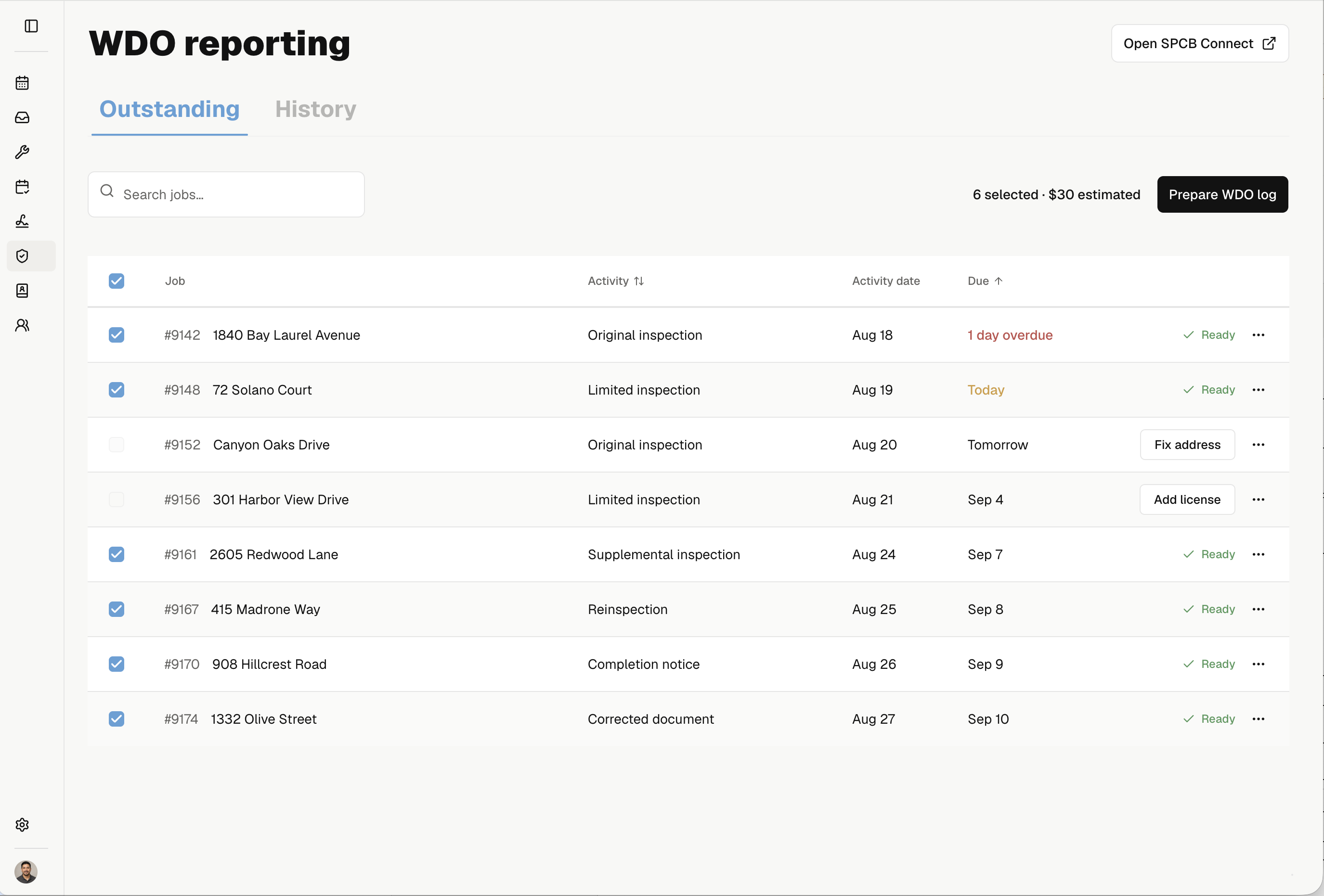
See what's due
Know which work needs a WDO log
See inspections and completion notices in one list, with estimated due dates and missing details. Choose the work to include in your next log.
Catch missing details
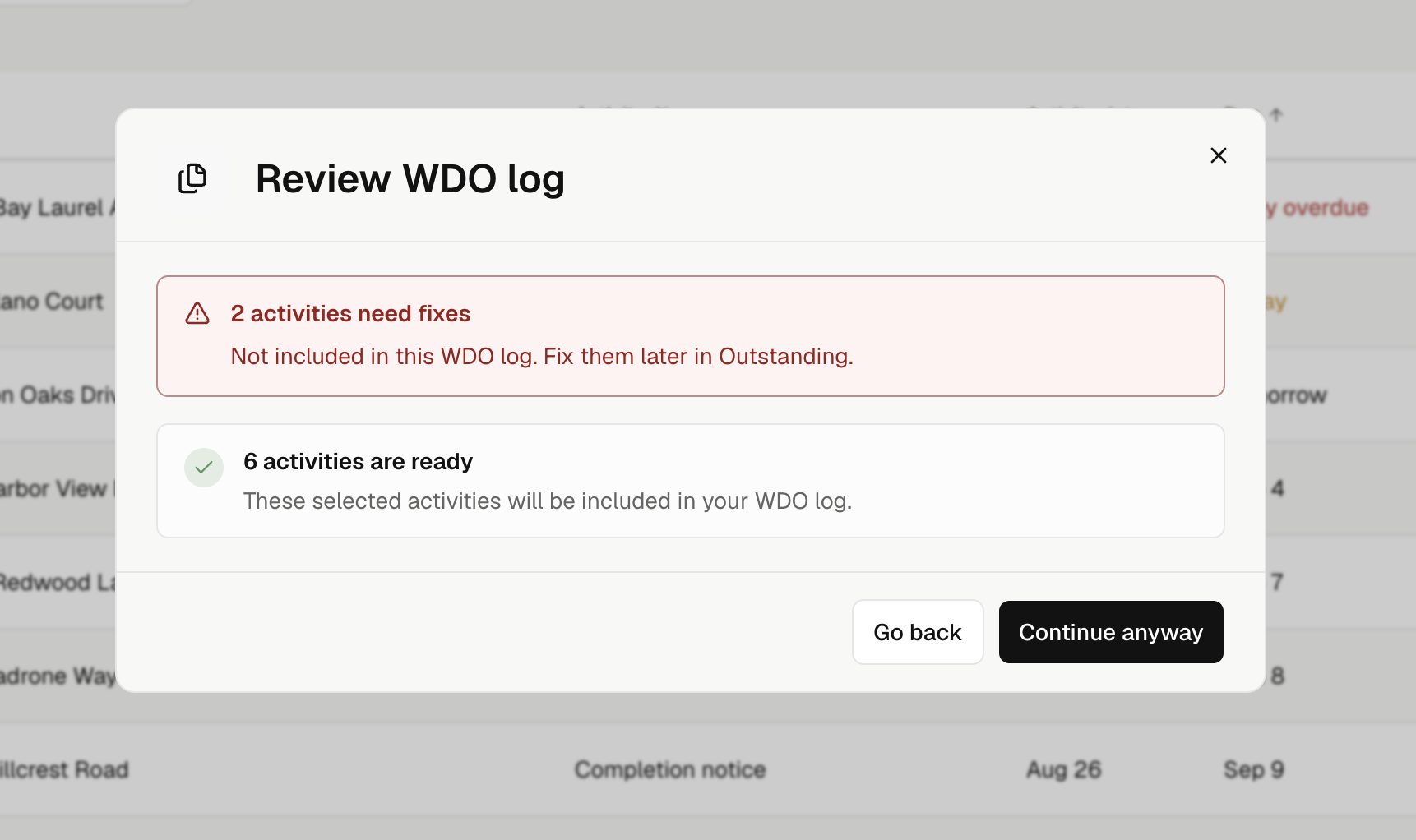
Find issues before you download
Noma flags missing addresses, licenses, and other required details. Keep moving with the work that's ready, and return to the items that need fixes.
Keep a clear record
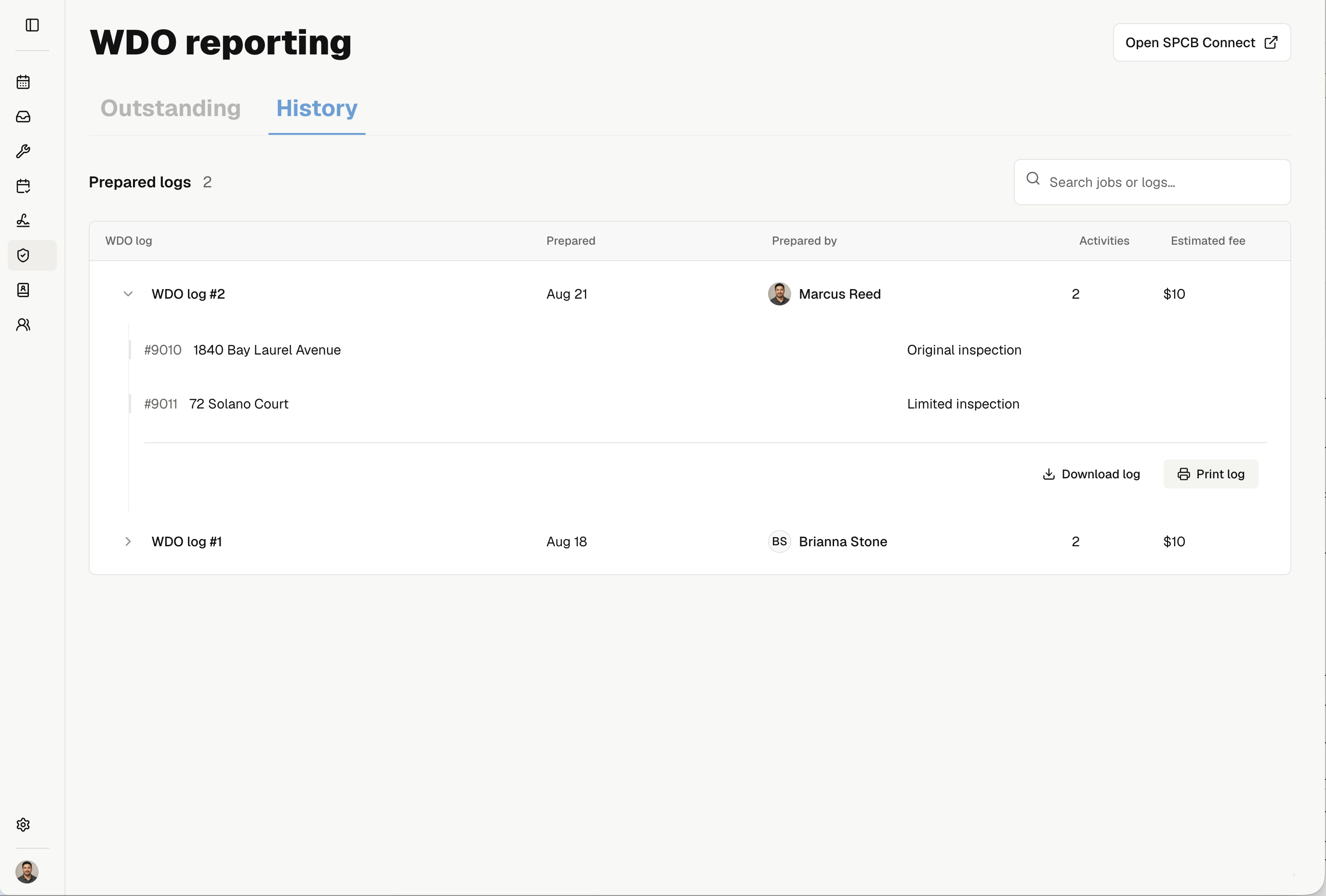
Find every log you've prepared
See who prepared each log and which jobs it includes. Download the saved file again or print a copy for your office records.
Less busywork in every WDO log
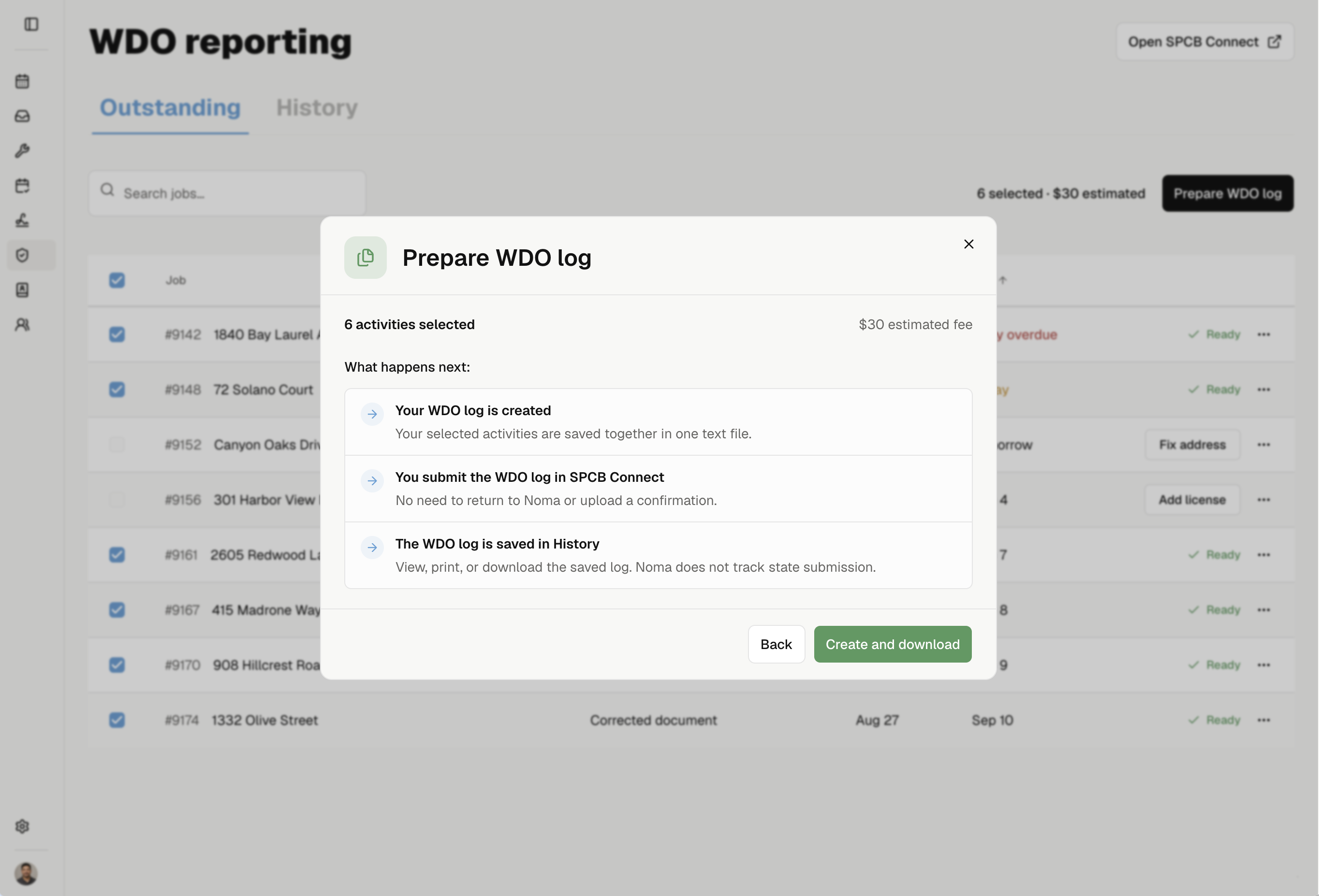
See fees before you download
See the estimated filing fee for your selected work before you create the log.
Keep older work in view
Eligible work stays in Outstanding until you prepare it, including reports entered late.
Catch missing details early
Find missing addresses, licenses, and dates before they hold up your log.
Keep prepared work separate
Activities move out of Outstanding once they're saved in a log, so you can focus on what's left.
Download one file for your batch
Gather selected activities into one WDO text file, then submit it in SPCB Connect.
Keep a copy for your office
Print a saved log or save a PDF for your records. Download the original text file again anytime.

Spend less time preparing WDO logs
Gather your work, catch missing details, and keep your saved logs in one place.
Get startedExplore Noma features related to state forms and reporting



Frequentlyaskedquestions